
Home › Forums › Digital UV Printing Hub › What Size Is a Flatbed UV Printer? A Comprehensive Guide
Tagged: UV Printer
- This topic is empty.
-
AuthorPosts
-
15 January 2026 at 12:44 pm #815
Dowinsss
KeymasterWhat Size Is a Flatbed UV Printer? A Comprehensive Guide to UV Printer Dimensions
Choosing the right flatbed UV printer size is one of the most important decisions for businesses investing in direct-to-substrate printing technology. Flatbed UV printers come in a wide range of formats — from compact desktop units to massive industrial systems — and the “right” size depends on your materials, production scale, and business goals. Understanding typical size ranges and how they relate to use cases helps you avoid over- or under-investing in equipment.
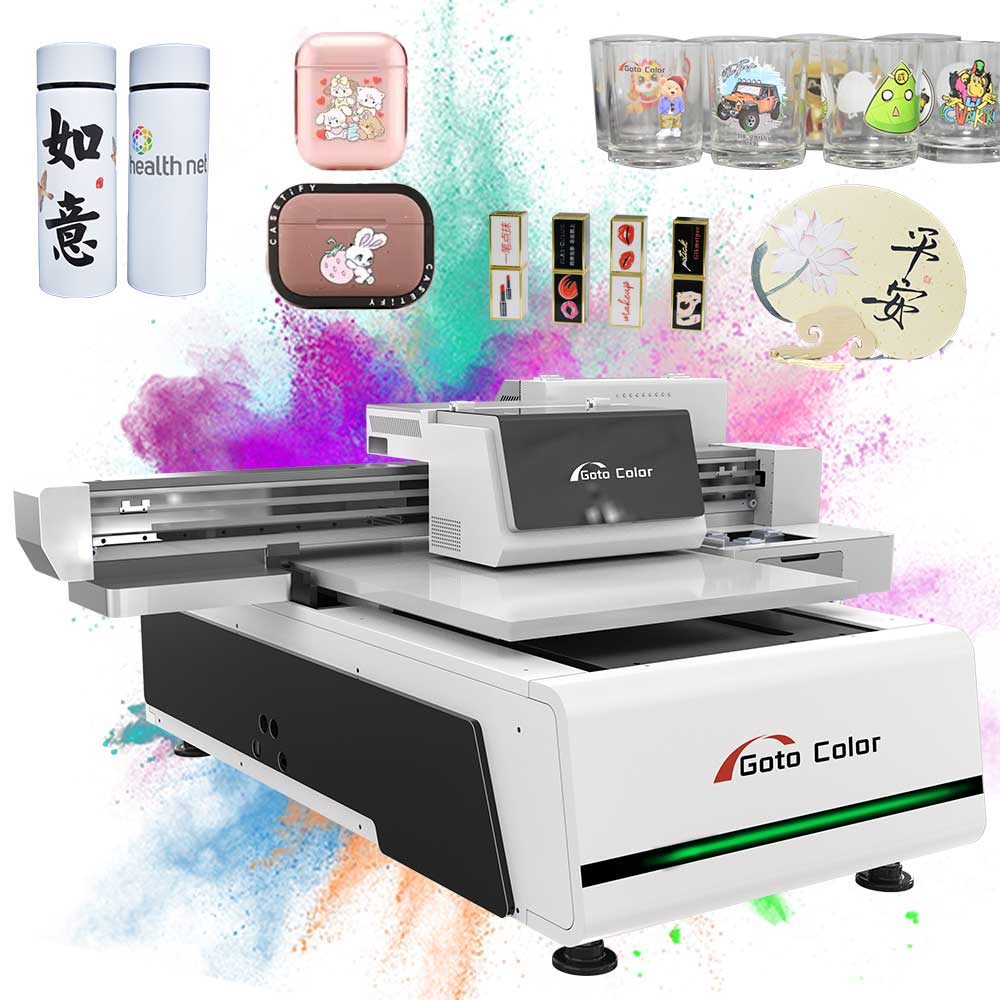
Understanding Flatbed UV Printer Dimensions
A flatbed UV printer is defined by the size of its print bed — the flat surface where substrates are placed for printing — and the maximum printable area that the print heads can reach. The printable area can be thought of as the largest sheet or object the machine can print on in a single pass, and it generally correlates with overall machine footprint.
Typical flatbed UV printer sizes in today’s market include:
1. Small Format (Compact / Entry-Level)
-
Common printable area: ~600 mm × 900 mm (approx. 24 × 36 in)
-
Ideal for: Small personalized products such as phone cases, nameplates, packaging inserts, small signs, and prototypes.
-
Advantages: Lower investment, smaller footprint, easier to fit in a small workshop.
-
Example use: A small sign shop printing custom items and short runs.
These compact models are frequently selected by startups and small businesses because they require minimal space and capital yet deliver the essential capabilities of UV printing. Businesses with mostly small products will find this range efficient and cost-effective.
2. Medium Format (Most Common “Workhorse” Size)
-
Common printable area: ~1.2 m × 2.4 m (approx. 4 × 8 ft)
-
Ideal for: Standard signage, door panels, medium-sized prints, and batch production of small to medium objects.
-
Advantages: Balanced capacity for most general production, fits in typical shop spaces (~3–5 m²), and addresses a wide majority of everyday printing needs.
Medium sizes are the best-selling category in many markets because they deliver a versatile workspace that covers a broad spectrum of jobs — from posters and cabinet doors to multiple small workpieces printed at once.
3. Large Format / Industrial-Scale
-
Common printable area: ~2 m × 3 m and larger (e.g., up to ~3 m × 2 m or above)
-
Ideal for: Sign boards, architectural panels, vehicle parts, large displays, and full-sheet rigid materials.
-
Advantages: Eliminates the need for tiling/splicing large prints, expands production range for heavy-duty applications, and supports heavy loads.
For businesses focused on industrial production or large format applications, large flatbed UV printers become essential. These systems are capable of printing full sheets without seams, which significantly improves quality and reduces post-processing labor.
Height & Material Thickness Considerations
Flatbed UV printers are not only defined by width and length but also by Z-axis clearance (print height) — the maximum thickness of materials the machine can accommodate. Some industrial flatbeds support hundreds of millimeters of height, enabling printing on thick panels or three-dimensional objects placed flat on the bed.
In many systems, the print height can exceed 100 mm or more, which allows printing on thicker boards, art panels, or even assembled objects that sit on the bed. This makes flatbeds more flexible than traditional roll-to-roll printers, which are usually limited to flexible materials.
Matching Size to Business Needs
Small Shops & Personalization Businesses
-
Smaller models help minimize footprint and investment while still enabling professional UV printing.
-
Ideal for businesses focused on personalized gifts, custom small signs, plaques, and accessories.
-
Typical print areas range from approx. 600 × 900 mm down to even smaller niche units.
Advertising, Packaging & General Production
-
Medium format often hits the sweet spot between capability and floor space.
-
Supports batch printing of medium objects plus multiple smaller items at once.
-
Fewer constraints on material size increase throughput.
Large Format Advertising & Industrial Printing
-
Enterprises with large signboards, architectural panels, or industrial parts often require beds exceeding 2 m × 3 m.
-
Eliminates seams and tiling, boosting productivity and quality consistency.
-
Larger format printers become crucial where scale directly affects market competitiveness.
Why Printer Size Matters
Selecting an appropriately sized flatbed UV system affects not just what you can print but how efficient your operation can be. A machine that’s too small will force you to split jobs or constrain the work you can accept, while a machine that’s larger than needed increases upfront costs and wastes floor space.
Key considerations include:
-
The maximum material size you plan to print in one piece.
-
Typical production volumes and whether batch printing is required.
-
The space available in your facility for placement and safe operation.
-
Desired future growth — larger sizes provide scalability but at higher investment.
Personal Insight: Don’t Buy Size, Buy Capacity
From experience in print operations, the mistake many first-time buyers make is to equate larger size with better capability. The better question is: What sizes and types of jobs do you expect routinely? A well-chosen medium format machine can cover more than 80 % of typical needs, while reserving large format purchases for specialized runs.
At the same time, small machines are not only starter tools — many niche businesses find that compact UV flatbeds are ideal for custom goods, boutique production, and high-mix low-volume orders without locking up capital.
Conclusion
A flatbed UV printer’s size can range from small tabletop units around 0.6 m × 0.9 m to industrial beds over 2 m × 3 m or larger. The right dimension aligns with your product dimensions, throughput goals, and workspace constraints. Choosing wisely means balancing current demand with future scalability, ensuring you invest in a printer that supports your business strategy rather than limiting it.
-
-
AuthorPosts
- You must be logged in to reply to this topic.