
Home › Forums › DTF Printer Hub › Essential Equipment for a Complete DTF T‑Shirt Printing Workflow
Tagged: T-Shirt Printing
- This topic is empty.
-
AuthorPosts
-
17 March 2026 at 4:47 pm #994
Dowinsss
KeymasterEssential Equipment for a Complete DTF T‑Shirt Printing Workflow
Direct‑to‑Film (DTF) printing has reshaped the custom apparel landscape by offering a flexible, low‑cost alternative to traditional screen printing and direct‑to‑garment systems. Small brands, online clothing stores, and on‑demand production facilities are increasingly adopting DTF because it enables full‑color designs on virtually any fabric type with minimal setup and no pretreatment.
However, many newcomers mistakenly believe that owning a DTF printer alone is sufficient to start production. In reality, a reliable printing workflow requires a suite of machines and tools that work together to ensure quality, efficiency, and consistency from design to finished garment.
This article deconstructs the complete set of equipment needed to produce high‑quality printed T‑shirts using the DTF method, explaining not just what is necessary, but why each piece matters in a professional production environment.
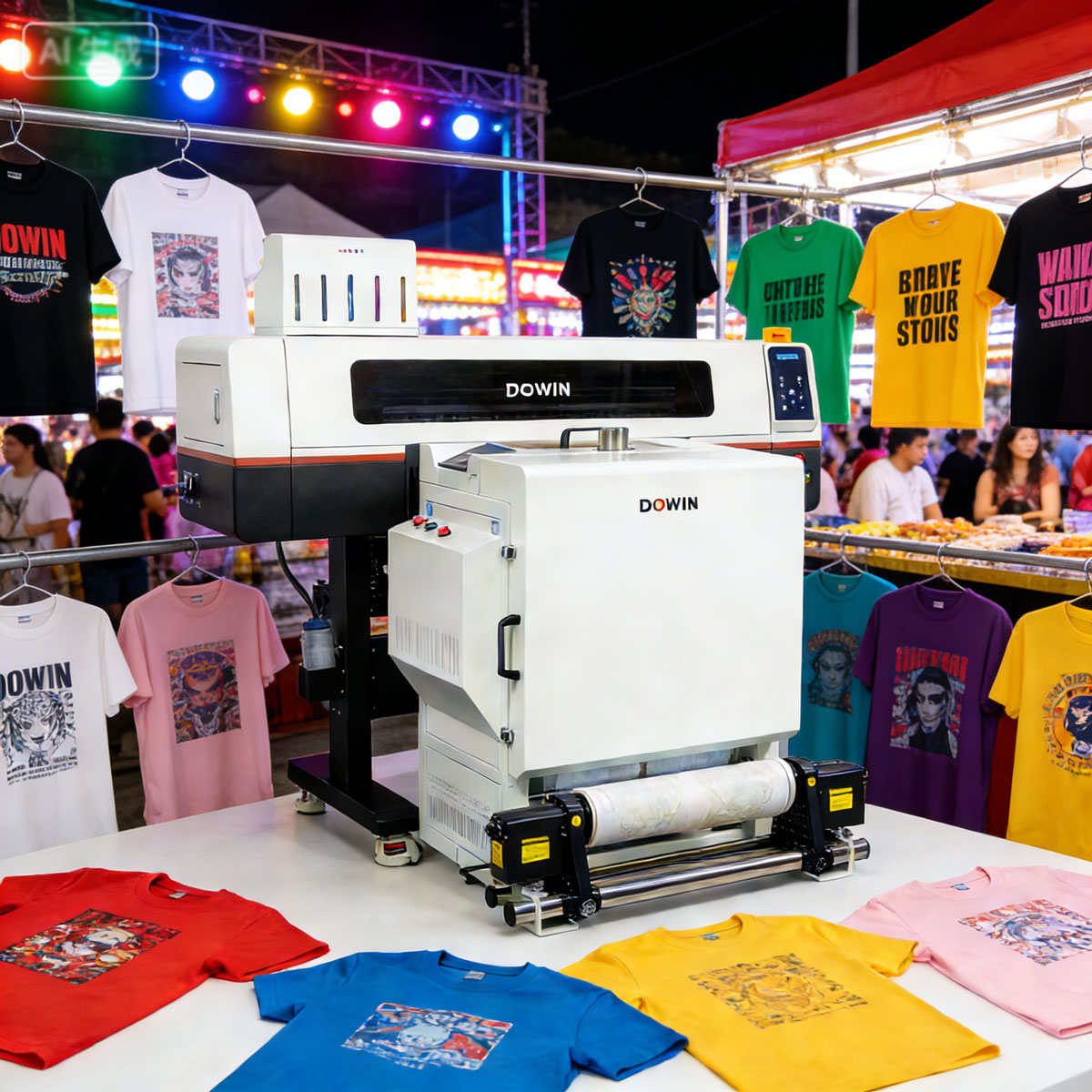
The Complete DTF Printing Workflow: A System, Not a Single Device
Compared with older methods like screen printing, DTF spreads its processing demands across multiple stages:
-
Digital image preparation
-
Film printing
-
Powder application and curing
-
Heat transfer to fabric
-
Finishing and quality control
Each of these steps involves specific machines and environmental controls, and skipping or under‑investing in any stage can compromise finished results.
1. Digital Design and RIP Software
While not a physical machine, professional design software is the foundation of a DTF system. Raster Image Processing (RIP) software controls color separation, white ink ordering, and dot placement strategies. Powerful RIP tools can make the difference between:
-
vivid, accurate colors
-
faded, muddied prints
-
inefficient ink usage
For high‑volume production, automated workflows embedded in RIP systems reduce operator error and improve throughput.
2. DTF Printer
At the heart of the workflow is the DTF printer itself—an inkjet system capable of depositing multiple ink layers (usually white plus CMYK) onto PET transfer film. The printer must support:
-
stable white ink circulation
-
consistent printhead maintenance
-
accurate film feeding
-
fine droplet control
DTF printers vary widely in speed and build quality, and selecting the correct one depends on expected daily output. Low‑volume operators may only need a compact 60–80 cm machine, while mid‑size businesses often choose wider beds for higher throughput.
But the printer alone cannot complete a production line—it must be integrated with additional devices.
3. Powdering and Shaking Equipment
DTF printing requires an adhesive powder to fuse the printed design to fabric during heat transfer. After printing, hot‑melt adhesive powder is applied to the wet ink on the film.
This is where powdering and powder shaking systems come into play:
Powder Applicator
A dedicated powder shaker uniformly distributes adhesive powder across the printed design. Manual powdering often leads to uneven distribution, which in turn causes:
-
inconsistent adhesion
-
rough texture
-
peeling after washing
Powder Shaker
Once powder is applied, the film must be shaken to remove excess particles. Automated shaker systems provide:
-
consistent coating thickness
-
reduced waste
-
smoother prints
Investing in proper powdering equipment greatly improves both the look and durability of the prints.
4. Curing System
After powder application, the film must undergo curing to melt the adhesive powder and bond it with the ink layer. A simple heat press cannot do this effectively because the film needs:
-
controlled temperature
-
even heating across the entire design
-
time for the adhesive to fully activate
Dedicated curing ovens or conveyor dryers maintain consistent heat and airflow, ensuring that the adhesive fuses uniformly and produces durable prints that withstand washing.
5. Heat Press Machine
The heat press is the machine that finalizes the transfer from film to fabric. It applies heat and pressure to fuse the cured ink and adhesive powder into the fibers of the garment.
A high‑quality heat press offers:
-
accurate temperature control
-
even pressure distribution
-
adjustable timing
For businesses printing daily in higher volumes, a clamshell or swing‑away industrial heat press increases speed and reduces operator fatigue.
The proper heat press setting—temperature, pressure, and dwell time—varies with fabric type and film specification. Getting these parameters correct is critical to preventing issues like peeling or poor wash durability.
6. Cooling and Peeling Station
After heat pressing, the transfer film must be removed at the correct temperature to ensure a clean peel. Some films require hot peeling immediately after pressing, while others require cooling before removal.
A designated cooling area or rack helps stabilize the garment, preventing damage to the print and ensuring proper adhesive bonding.
7. Finishing Tools and Inspection Devices
Once the garment is printed, additional finishing and quality control tools help ensure professionalism and consistency:
-
Lint rollers to remove stray fibers before printing
-
Heat‑resistant boards or belts for delicate fabrics
-
Infrared thermometers to check temperature uniformity
-
Magnification tools to inspect print detail and color consistency
These tools might seem auxiliary, but they significantly improve final product quality in larger production environments.
Environmental Control: The Invisible Production Partner
While often overlooked, room conditions—especially temperature and humidity—play a major role in print stability. High humidity can cause the adhesive powder to clump or stick prematurely, while extremely dry air increases static and disrupts film feeding.
Professional DTF facilities usually maintain:
-
controlled humidity (typically 40–60%)
-
stable room temperature (20–28 °C)
-
dust‑free environment
These conditions improve consistency and reduce printing errors across production runs.
A Shift in Perspective: Integration Over Isolation
The most common mistake new DTF operators make is viewing the printer as the single source of production success. In reality, a complete shirt printing workflow resembles a miniature factory line rather than a standalone machine.
A professional outcome depends on how well each device interacts with the others:
-
poor curing undermines adhesive performance
-
inadequate powdering ruins print feel
-
suboptimal heat press settings cause peeling
-
environmental fluctuations introduce inconsistency
True efficiency comes from orchestrating the entire ecosystem, not just owning better hardware.
Conclusion
DTF printing has democratized custom apparel production, allowing businesses of every size to offer vibrant, durable graphics without extensive pretreatment or high tooling costs. Yet success in this field requires more than just a DTF printer.
A complete system must include:
-
powerful design and RIP tools
-
precise powdering and curing equipment
-
reliable heat pressing
-
environmental control systems
-
finishing and inspection tools
When configured correctly, this ecosystem enables print shops to produce professional‑grade T‑shirts with consistent quality, high durability, and repeatable results.
In the competitive market for custom apparel, mastering the entire workflow—rather than focusing on a single machine—is the true differentiator between hobbyists and industry‑grade producers.
-
-
AuthorPosts
- You must be logged in to reply to this topic.