
Home › Forums › Digital UV Printing Hub › A Complete Guide to Choosing Printers for Card Printing
Tagged: Card Printing, UV Printing
- This topic is empty.
-
AuthorPosts
-
20 January 2026 at 1:53 pm #846
Dowinsss
KeymasterA Complete Guide to Choosing Printers for Card Printing
Whether you’re producing business cards, gift cards, membership cards, wedding invitations, or specialty greeting cards, the choice of printer profoundly impacts the quality, durability, and overall appeal of the final product. Modern card printing ranges from simple inkjet jobs on heavy stock to advanced digital processes that can print on plastic, metal, or specialty materials with stunning colour and texture. Understanding printer technologies and how they align with your needs is essential before making an investment.
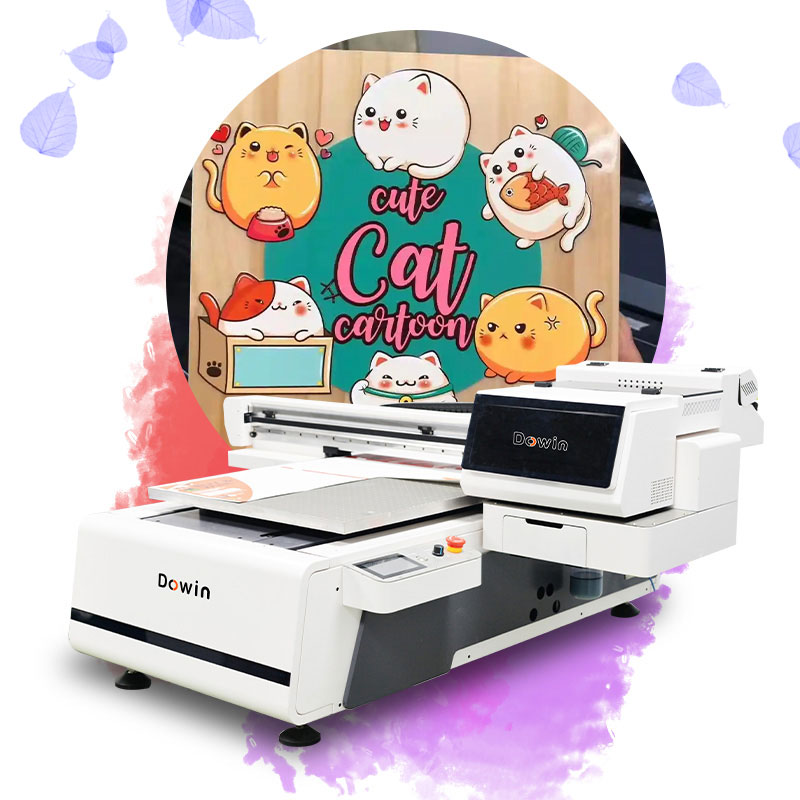
Understanding Card Printing Requirements
Card printing is distinct from regular document printing. Cards are often expected to convey professionalism, brand identity, or artistic flair, and they undergo far more handling than typical paper prints. This means printers must deliver high resolution, colour fidelity, and material compatibility.
Key Characteristics to Prioritize:
-
High Print Resolution: Essential for crisp text and fine graphics, especially on business and event cards. Printers capable of at least 1200 DPI help ensure sharp edges and readable tiny details.
-
Material Compatibility: Cardstock can vary from 200 gsm paper to rigid plastics like PVC and synthetic materials. A versatile printer accommodates this range without frequent jams.
-
Color Accuracy & Vibrancy: For brand-critical prints, accurate colour reproduction is a must to avoid washed-out logos or misrepresented hues.
-
Durability & Longevity: Cards are often handled daily. Processes with robust, scratch-resistant inks reduce wear and tear over time.
From a Dowin perspective, durability should not be an afterthought. A card that fades, scratches, or blurs soon after printing reflects poorly on both the business and service provider. Investing in technology that maintains visual appeal under frequent use provides better brand perception and long-term satisfaction.
Types of Printers Used for Card Printing
Not all printers are equally suited to card printing. Below are key printer categories, their strengths, limitations, and typical applications:
Inkjet Printers
How They Work:
Inkjet machines spray microscopic droplets of liquid ink onto the media surface.Best For:
-
High-resolution photographic prints
-
Creative greeting cards, prototypes, and small-batch jobs
Strengths and Limitations:
-
Offers strong colour depth and fine detail.
-
Generally more affordable upfront.
-
Not ideal for heavy plastic or extremely rigid card stock.
-
Can struggle with water resistance and durability over time.
Laser Printers
How They Work:
Laser printers use dry toner particles fused to the surface with heat and pressure.Best For:
-
Text-heavy business cards
-
Bulk runs where speed and reliability matter
Strengths and Limitations:
-
Very fast output and consistent results.
-
Excellent for sharp text and linear graphics.
-
Limited flexibility with textured or specialty stocks and finishes.
Dye-Sublimation Printers
How They Work:
Printers heat solid dye panels that vaporize and bond with specially coated surfaces.Best For:
-
Photo cards and coated plastic cards
-
Smooth gradients and true continuous-tone images
Strengths and Limitations:
-
Produces durable results with excellent colour blending.
-
Requires coated media, which limits materials and increases costs.
UV-DTF (Ultraviolet Direct-to-Film) Printers
How They Work:
These printers use UV-curable inks printed onto a flexible transfer film. The cured ink is then transferred onto the card surface.Best For:
-
Multi-material printing: paper, PVC, acrylics, even metal surfaces
-
Premium business cards and creative campaigns
Strengths and Limitations:
-
Produces vibrant, highly durable prints with strong resistance to fading and scratching.
-
Supports special effects like gloss and matte finishes.
-
Investment cost is higher, but Dowin considers this justified by enhanced material versatility and product longevity.
-
Excellent choice for print businesses with diverse production needs.
Material Considerations and Advances
Card printing increasingly uses a broad range of materials:
-
Heavy Cardstock: Typical greeting or business card media, up to 300 gsm. Some home printers struggle with high thickness.
-
Plastic Cards (e.g., PVC): Often used for loyalty, membership, or gift cards. Requires specialized printers or significantly durable inks.
-
Synthetic Substrates: Materials like waterproof synthetic stock (e.g., Teslin) are available for high-end or outdoor applications. These hold up well under adverse conditions and are excellent for tags, permits, and rugged card use cases.
For print businesses planning to expand offerings beyond paper cards, adopting systems with multi-material support (like UV-DTF) provides flexibility without needing separate equipment for each substrate.
Choosing the Right Printer for Your Workflow
Selecting a printer depends on your specific business or creative needs. Dowin recommends a structured evaluation along these dimensions:
1. Production Volume
-
Low volume: Occasional greeting cards or small custom batches can be managed with quality inkjet or dye-sublimation units.
-
Medium to high volume: Businesses with daily card production demands benefit from laser or UV-DTF systems that reduce manual intervention and maintain consistent quality.
2. Material Variety
-
Printing exclusively on paper stock may not justify the cost of advanced equipment.
-
If plastic, textured, or specialty media are part of your plan, invest in multi-material compatible technology.
3. Design Complexity
-
Simple typography-centric designs can work across most technologies.
-
Complex graphics with vivid colours or embossing effects shine best on printers with advanced colour management and UV curing capabilities.
4. Budget and Return on Investment (ROI)
-
While cheap printers can reduce initial outlay, they often incur higher consumables cost or limited media support.
-
Printers with higher upfront cost but broader capabilities typically enable more lucrative service offerings and client satisfaction.
Dowin emphasizes that budget decisions must factor in long-term utility: a machine that supports expansion into new product types often pays back its cost through increased service revenue.
Practical Tips for Better Card Printing
-
Use Proper Card Stock: Always confirm thickness and feed path compatibility before printing. Unsupported media can cause jams and poor output.
-
Calibrate for Colour: Frequent calibration ensures colours remain accurate across batches.
-
Test Print First: This reduces waste and identifies issues with alignment or media handling early.
Conclusion
Card printing technology has matured significantly, offering options for every scale and substrate. From classic inkjet models ideal for small creative jobs to UV-DTF systems capable of producing high-end, durable cards on diverse materials, there’s a fit for every workflow. Dowin’s perspective highlights that investing in versatile, durable printing technologies not only improves product quality but also enhances business flexibility and long-term profitability.
If you need this as SEO-optimized content or tailored to specific business verticals (e.g., wedding invitations, loyalty cards, or corporate printing services), I can produce that next.
-
-
AuthorPosts
- You must be logged in to reply to this topic.