Home › Forums › Digital UV Printing Hub › A Comprehensive Guide to A3 UV Printers: Expand Your Creative and Commercial Potential
Tagged: A3 UV Printer, UV Printing
- This topic is empty.
-
AuthorPosts
-
30 January 2026 at 1:47 pm #932
Dowinsss
KeymasterA Comprehensive Guide to A3 UV Printers: Expand Your Creative and Commercial Potential
A3 UV printers represent one of the most versatile digital printing technologies available today, bridging the gap between small-format creativity and professional grade material versatility. By curing ink with ultraviolet light during printing, these machines enable direct output on a broad range of substrates with vibrant color, strong durability, and minimal dry time — features that have driven significant adoption across design studios, small businesses, and manufacturing environments.
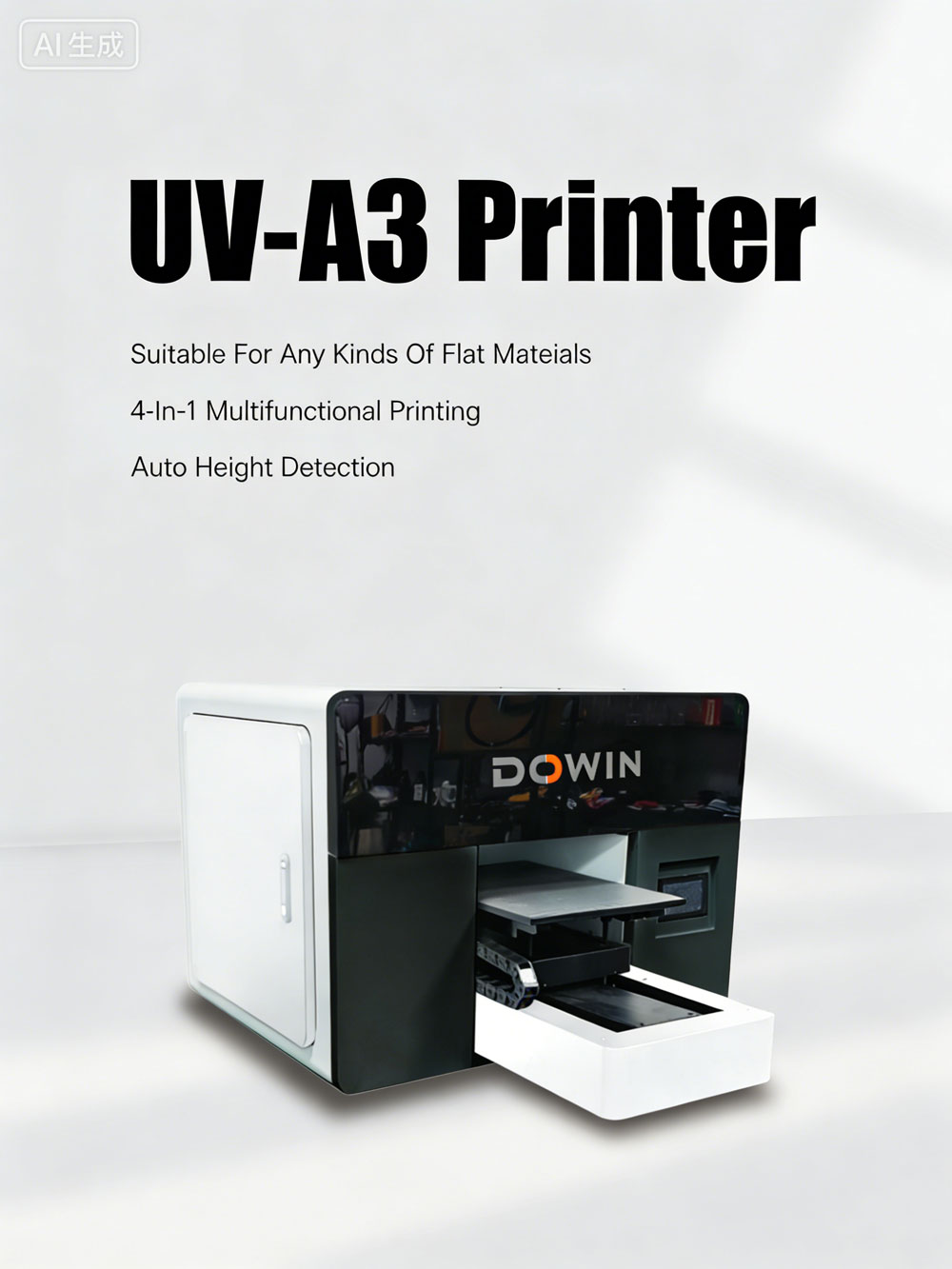
This guide explains what A3 UV printers are, how they work, why they matter, and where they create tangible value beyond traditional methods.
What Is an A3 UV Printer?
An A3 UV printer is a flatbed or hybrid printer configured to handle sheets up to A3 size (roughly 297 × 420 mm). Unlike standard thermal or solvent inkjets, these systems use UV-curable inks that are instantly cured (polymerized) by ultraviolet LED light as they are deposited. This allows printing on non-porous and rigid surfaces — such as acrylic, metal, wood, glass, leather, and certain plastics — without absorption into the material substrate.
The result is finished prints that are ready to use immediately after printing, with no waiting for drying or post-processing.
Key Capabilities Driving Adoption
Versatility Across Materials
A3 UV printers support both rigid and flexible materials, enabling creative freedom and broad commercial use cases, from signage and awards to packaging prototypes and interior décor elements.Instant Curing Means Immediate Results
Because UV inks cure on contact with LED light, there is no drying time between printing and handling. This accelerates production and reduces bottlenecks compared to solvent or dye-based systems that require evaporation or heat.Durable, Resistant Outputs
UV-cured prints are typically scratch-resistant, fade-resistant, and water-resistant, making them suitable for indoor/display and short-to-medium term outdoor applications.Eco-conscious Operation
Modern UV LED lamps produce minimal VOC emissions compared with older solvent technologies, aligning with stricter environmental standards and reducing ventilation requirements in studio or shop settings.How A3 UV Printing Works
The typical workflow for an A3 UV printer involves:
-
Design Preparation: Artwork is created and processed in RIP software that manages color profiles, ink limits, and any special channels like white or varnish.
-
Material Placement: The substrate is placed on the flatbed or fixed bed, potentially secured via vacuum or clamps.
-
UV Inkjet Deposition: UV-curable inks are inkjetted onto the material surface.
-
UV Curing: LED UV lamps cure the ink instantly as it prints, producing a stable, tactile image or graphic.
This process avoids the need for pre-coating or post-drying and reduces waste from blotting, smudges, or drying racks common in traditional printing.
Common Use Cases and Industries
A3 UV printers are used in a wide range of applications:
-
Signage & Displays: Custom signage, plaques, and point-of-sale items with durable, bright graphics.
-
Promotional & Personalized Products: Printing on gift items like phone accessories, plaques, and awards for events or brand campaigns.
-
Packaging Prototyping: High-quality packaging prototypes and short runs without the expense of conventional tooling.
-
Industrial Marking: Direct printing of labels and identifiers on components and materials.
-
Home Décor & Creative Crafts: Customized decorative panels, wood prints, and interior accents.
This versatility makes A3 UV technology valuable not only for creative professionals and small makers but also for industrial and manufacturing settings where direct marking and fast turnaround are priorities.
What to Consider When Choosing an A3 UV Printer
When evaluating A3 UV systems, several technical and practical criteria matter:
-
Print Resolution: Look for high dpi values (e.g., at least 1440 × 1440) and fine droplet control to ensure crisp graphics.
-
Curing Technology: LED UV curing is standard for efficiency, lower power use, and long lamp life.
-
Material Handling: Features like automatic height adjustment and vacuum beds improve consistency and allow varied substrate thicknesses.
-
White and Special Channels: Support for white underlays and optional gloss or varnish channels expands creative effects.
-
RIP Software Compatibility: Industry-standard RIPs enhance color management and job workflow.
Finally, operators should be prepared for regular maintenance — especially printhead cleaning and calibration — to sustain quality over time, as neglect can quickly impact performance.
Limitations and Practical Realities
Despite many strengths, A3 UV printers are not perfect for every scenario:
-
Most models support limited substrate height (e.g., up to ~100 mm), restricting deep or irregular objects.
-
They are best suited to low-to-medium volume production; high volume work often shifts to larger flatbeds.
-
UV inks and components can be relatively expensive compared to some inkjet alternatives, though reduced waste and rapid turnaround can offset costs.
Understanding these trade-offs helps avoid over-investment or mismatched expectations early in adoption.
Why A3 UV Printers Matter Today
From a strategic perspective, A3 UV printers reflect broader shifts in digital production:
-
The rise of personalized products and on-demand manufacturing.
-
Increasing demand for high-quality, durable graphics without long lead times.
-
Small business desiring professional outputs without large-format overhead.
This combination of factors makes A3 UV printers not just a creative tool but a practical investment for anyone looking to expand into direct-to-substrate printing with minimal workflow friction.
FAQ – A3 UV Printers
What materials can an A3 UV printer print on?
A3 UV printers can print directly on rigid and semi-rigid materials such as acrylic, glass, metal, wood, leather, ceramic, and plastics without special coatings.Why is instant UV curing useful?
UV-curable inks are cured immediately by LED light during printing, eliminating drying time and enabling fast turnaround.Can A3 UV printers handle white or special effects?
Many models support white ink and optional varnish layers to improve opacity and create textured or glossy finishes.Do I need special RIP software?
Yes. A Raster Image Processor (RIP) is essential for color management, layered effects, and optimized printing workflows.How often should maintenance like printhead cleaning be done?
Regular maintenance, including printhead cleaning and calibration, is important to sustain quality and prevent clogs.Are there limitations to A3 UV printers?
Common limitations include height restrictions, higher ink and equipment cost compared with basic inkjets, and the need for effective ventilation.Is an A3 UV printer suitable for small businesses?
Yes. Its compact size, material versatility, and fast prints make it practical for custom products, signage, and personalized merchandise.What influences the print quality most?
Key factors include substrate surface preparation, choice of ink and RIP profiles, machine calibration, and consistent maintenance practices. -
-
AuthorPosts
- You must be logged in to reply to this topic.